Process optimization to deliver a better user experience (#2)
Motivation
Product development is an ever-changing process. As a result, collaboration, versioning, and scalability are crucial components for a successful user experience.
Therefore, you should update your tools and processes to the ever-changing challenges and workflows. So that you are able to work more quickly, more agile and, most importantly, more cooperatively with your colleagues and cross-functional teams.
The original post can be found here: Link
Your organization is perfectly optimized to produce the user experiences it currently delivers. If you want to improve the user experiences, you’ll need to change the optimizations of your organization. This is the core of a UX strategy. – Jared Spool
Challenge
I was lucky to help out my team from Chrono24 to transfer from Sketch to Figma. As I did in at my last employer as well. When it came to building new interfaces for our digital products such as apps and websites, we relied heavily on Sketch. Processes and how we build our products, however, have changed over time within Chrono24 - due to the fast-growing teams. Furthermore, the remote situation because of COVID-19 has produced new needs and challenges in collaboration. Sketch was gradually failing to meet our requirements.
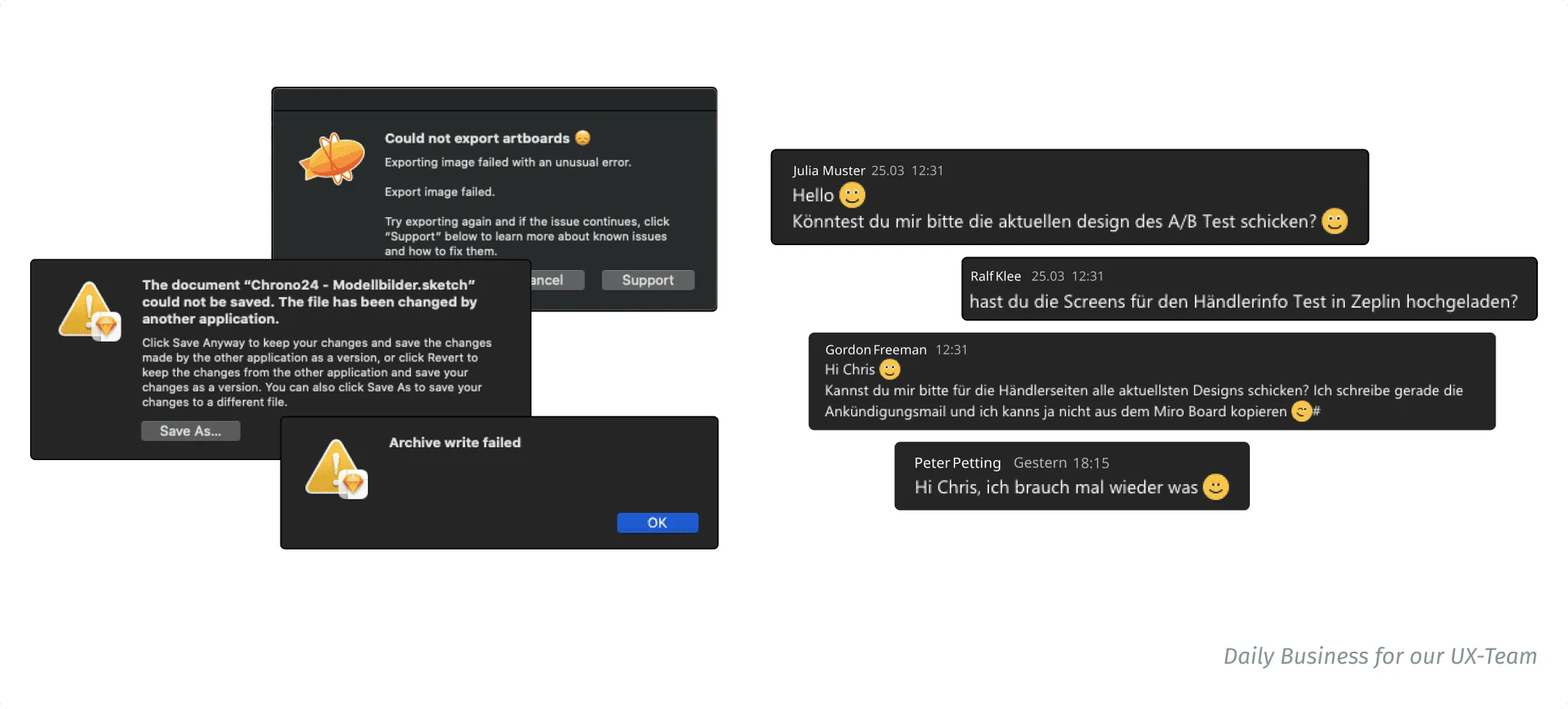
A brief outline of the UX team’s Needs and Pains:
- No collaboration
- No versioning
- Parallel maintenance of Zeplin files (another tool)
- Asynchronous communication between our work colleagues
- Overall, the workflow was slow and heavy
So we went on an adventure!
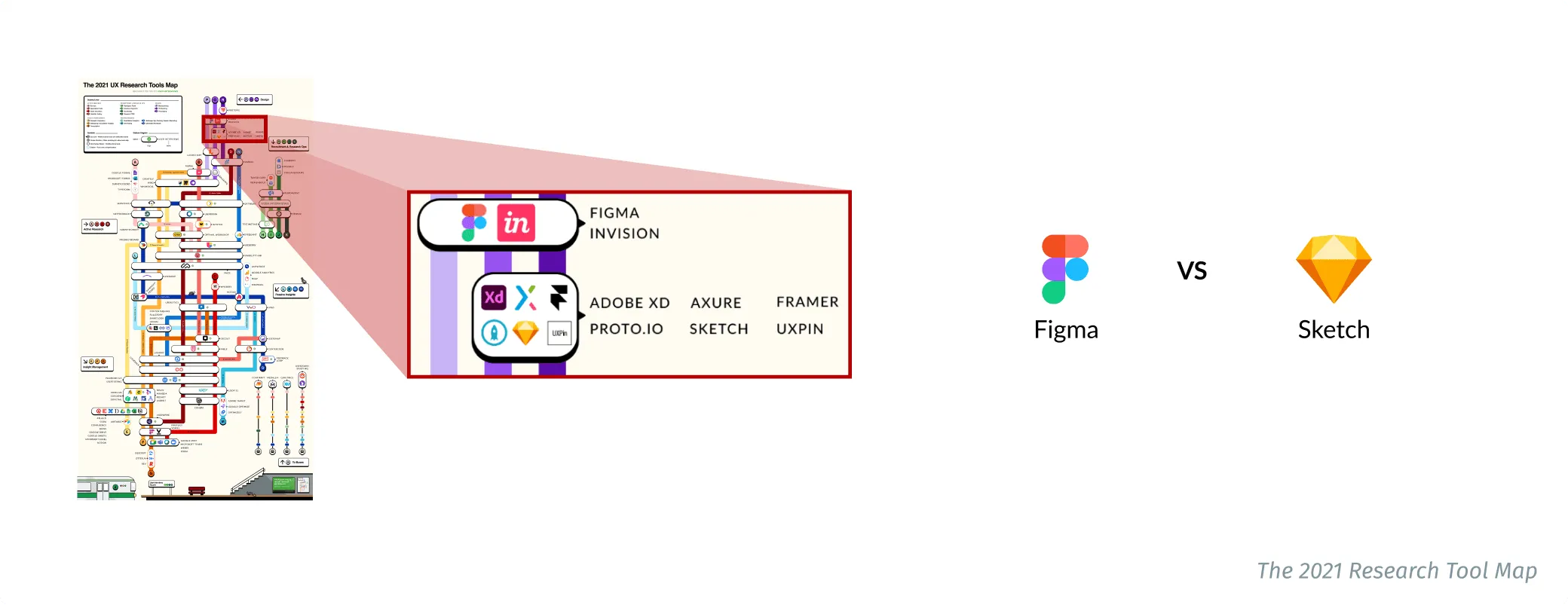
Every expedition comes with a map. So that we do not lose track, we will only look at the red marked area of The 2021 Research Tools Map and compare Figma to Sketch. Figma - along with a wide variety of tools - was not unknown to the UX team, it became increasingly interesting to us due to the new processes, workflows and growing teams.

Figma vs Sketch
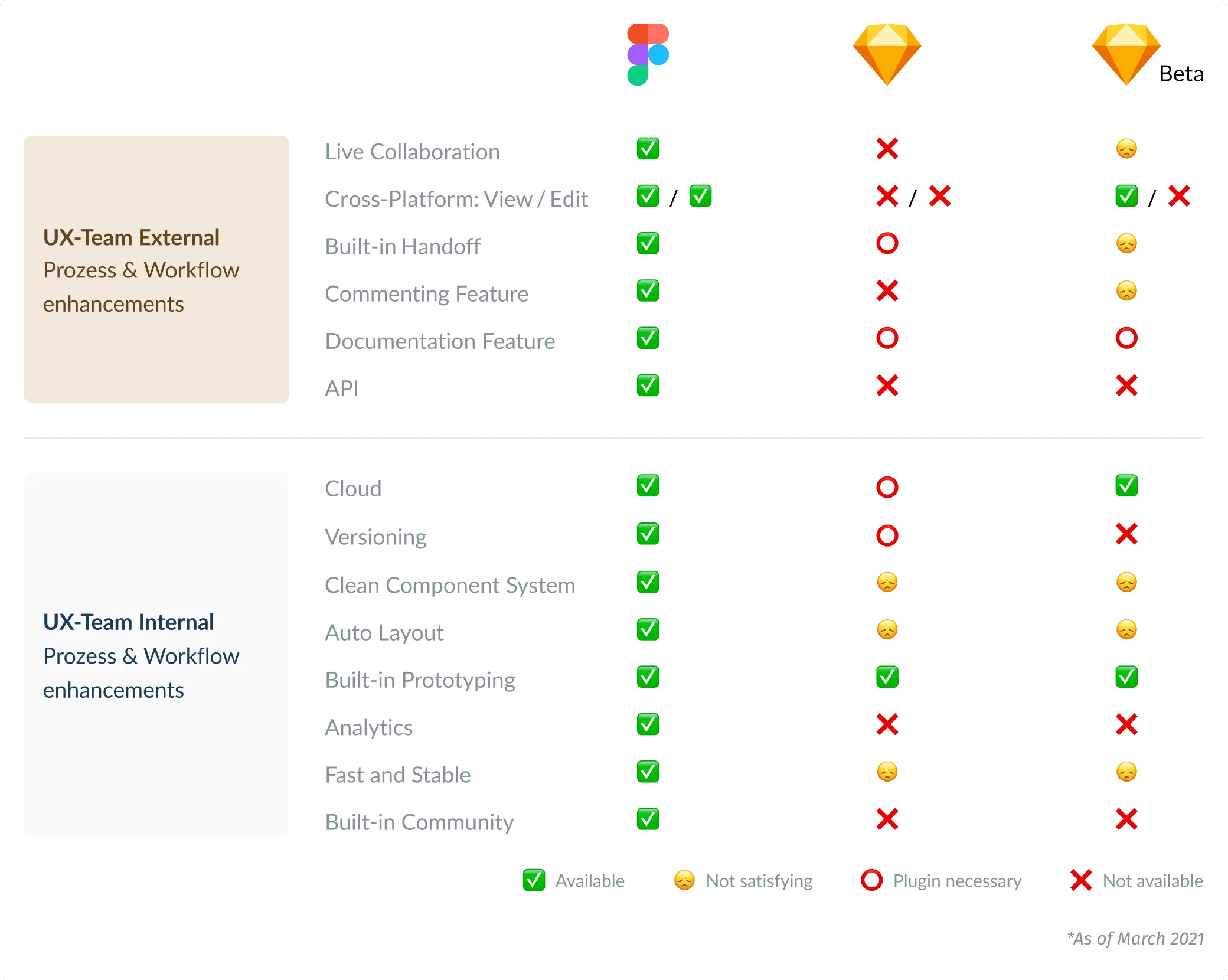
Figma, like Sketch, is a vector graphics editor with one key difference: collaborative working was a primary goal of the tool’s development from the beginning. For this purpose it was written in WebAssembly, so it can be opened and operated in a browser and thus on any OS. Sketch, on the other hand, is a Mac-only tool with no collaboration features*. During our comparison in spring 2021, there was a Sketch Beta variant besides Sketch, which tried to minimize known deficits towards Figma. This was partially successful, but not entirely to our satisfaction. Throughout the year, Sketch Beta was released.
*A collaboration option has been available since the introduction of Sketch Beta (May 2021).
Feature comparison (as of March 2021). In this section, we distinguish between external improvements for teammates and departments and internal improvements for the UX team. At this moment, I’d like to express my gratitude to Daniel Schultheiß. Together we looked at the different features and tried them out. For notice, since Figma has overtaken Sketch in terms of usage, we have compared Figma’s most popular features and checked if Sketch can keep up.
External enhancements
Live Collaboration is especially well suited for our interdisciplinary team’s design sprints. When it comes to brainstorming, everyone can be invited. It has also made it easier for us to onboard our coworkers. Furthermore, our UX writers can now easily include their writings into the designs on a daily basis.
Everyone can participate in the design process via browser thanks to Cross-Platform: View / Edit. Cross-functional skills can thus be used to collaborate to discover the optimal solution. Furthermore, our screens are no longer need to be exported to other handoff tools such as Zeplin.
Through the Built-in Handoff, our developers can view all the specs right from Figma. We can give direct feedback or receive feedback from others using the built-in commenting feature. Previously, this happened in Zeplin and thus in a different communication channel. Through the possibility of the documentation feature, we can integrate our brand center directly into our workflow.
The API will eventually allow us to deal with design tokens stored in a dedicated repository. This is a key step toward achieving the aim of a “single source of truth” and will greatly improve collaboration between frontend and design.
Internal improvements
The cloud functionality enables us to swiftly and conveniently open and edit files from anywhere. Because of versioning, older designs can be examined again at any time. The Clean Component System: Styles, components, and variants enable us to deconstruct complex items into easy-to-maintain building parts.
Furthermore, the Auto Layout assists us in creating a responsive layout. The design changes depending on the content and components. Prototyping? No problem! Because of Built-in Prototyping, we can immediately make our designs interactive right out of the box. In very few cases, exporting screens to other tools is rarely essential.
My personal favorite feature is Analytics. It allows us to track all components over a desired period of time as follows: How often was it used? Which teams are using it? How often did they have to modify it? It allows us to keep a good overview of all build components. In addition, it helps us to constantly improve the components and to reduce the complexity of our libraries by merging or removing obsolete and no longer used components.
For us, the Fast and Stable point has also been a notable factor. Whether via client or browser, alone or with several users, small or large files, Figma does not suffer any noticeable performance loss, which makes working very pleasant. Another benefit that Figma offers is the built-in community. You can view the projects and assets of other designers or companies with a single click. This ensures that knowledge is always up-to-date and is exchanged quickly.
Conclusion
The needs and pains indicated above are no longer there after switching to Figma. Most importantly, it is a very big win for our discovery and cross-functional collaboration with our work and team colleagues.
In accordance with Ashby’s Law:
Wherever there is a highly complex dynamic problem system, there must be an equally complex dynamic solution system. - Peter Kruse, Ph.D.
Everyone agreed that the time we spent transferring from Sketch to Figma was well spent. The way is paved for new processes and workflows.